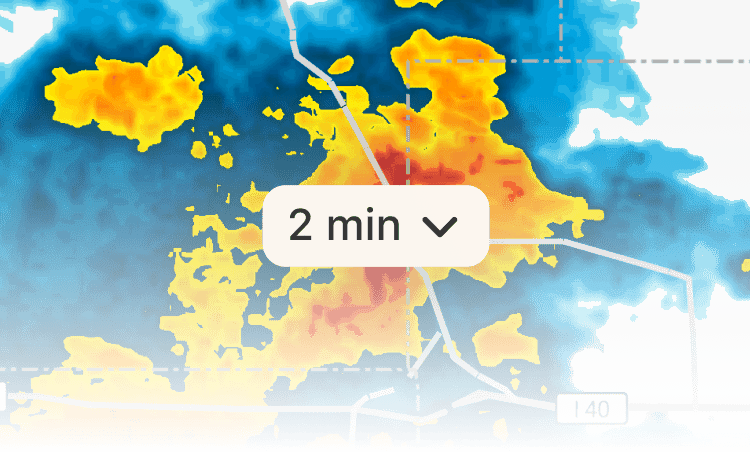
Radar Map Update Interval
RainViewer generates a single global composite radar image from all the radar networks we cover. You can now choose how often that composite is delivered to your device.
Works with the Radar Layer. Pro Radar Mode and other layers are not affected.
Available intervals
5 min · Standard
Set by default. A fresh radar composite is delivered every 5 minutes. Available to all users.
2 min · Fast
A fast Premium feature. A fresh radar composite is delivered every 2 minutes. Where local radars update frequently, the 2-minute interval brings new data up to 3 minutes sooner. Where local radars update less often, the composite is still delivered on schedule but may not contain new data yet.
Caution: The 2-minute interval may affect battery life, data usage, and performance.
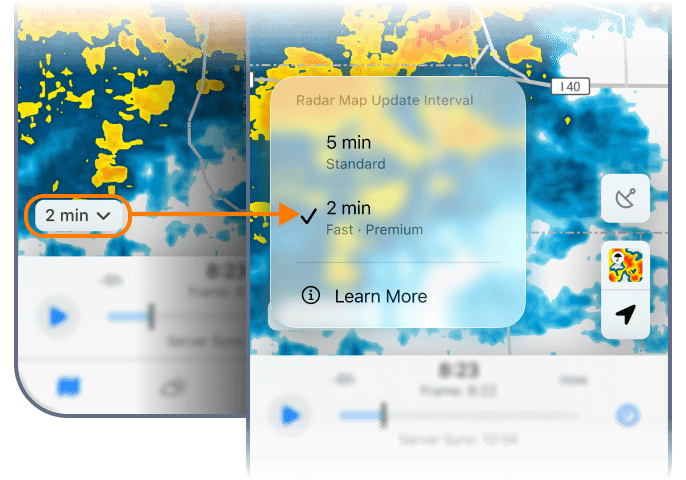
Managing the Radar Map Update Interval
The update interval can be changed in two places:
In Settings
Go to Settings → Map Settings → Radar Map Update Interval.
On the map
Tap the interval control. A menu appears with the available options. Select 5 min or 2 min. The 2-minute option requires a Premium subscription.
Bothered by the interval control on the map?
The interval control is shown on the map by default. If you prefer a cleaner map, you can hide it. Go to Settings → Map Settings → Radar Map Update Interval and turn off Show Control on the Map.
 RainViewer
